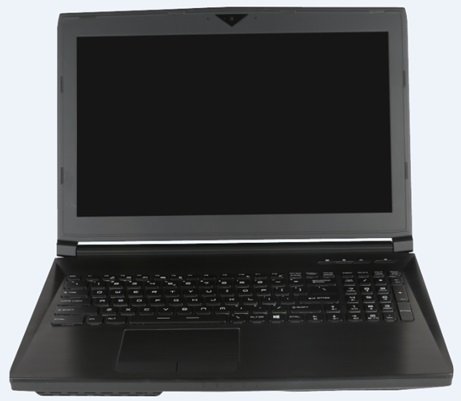
Can I change the color layout of my Backlit Keyboard on my MSI MS16L1?
Jan 26, 2017
Yes, you sure can. The software that comes pre-loaded on your notebook that controls the keyboard backlit layout is called KLM. Open KLM and you will find it is pretty self explanatory and easy to use.
|
How do I add RAM sticks to the RAM slots under the keyboard on my MSI MS16L1?
Jan 26, 2017
Here is a link to a Video that gives you step by step instructions on how to dis-assemble your MSI MS16L1 to place RAM in the two RAM slots under the keyboard.
http://www.eurocom.com/ec/video(384,93)ec
|
How do I power on/off the Webcam on my MSI MS16L1
Mar 21, 2019
In order to turn the power off and on to your Webcam, simply depress FN-F6. Every depression of this keystroke will power the Webcam Off and On...Off and On
|
How do I setup and use the S/PDIF port on my MSI MS16L1 Notebook
Sep 17, 2020
PDF Document
Trying to use the dual S/PDIF-Headphone jack as a S/PDF connection to your Home Theater? Here is the process to change the default headphone jack to a S/PDIF port.
Please see the attached .pdf
|
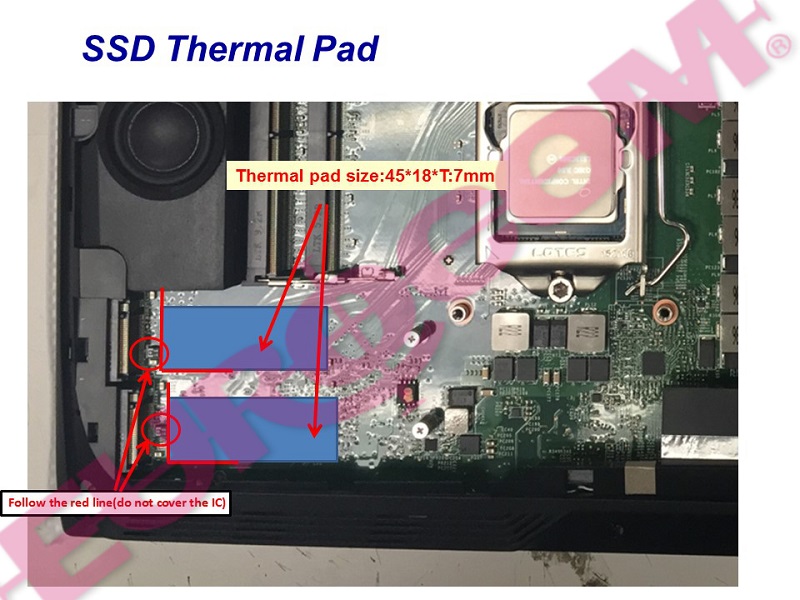 How do you properly add a M.2 SSD Hard drive w/ Termal Pad to your MSI MS16L1 Notebook? How do you properly add a M.2 SSD Hard drive w/ Termal Pad to your MSI MS16L1 Notebook?
Dec 01, 2016
If you would like to add a M.2 SSD Hard Drive to your system it is important that the correct process is used. If you install the M.2 drive without using the accompanied thermal pad, there is a chance your M.2 drive may overheat possibly damaging your M.2 drive and/or your notebook. Please look at the provided picture which shows the correct placement of the Thermal pad that come with your M.2 Hard drive.
If you have purchased an M.2 drive and require the thermal pads, they can be ordered from this units upgrade page...
http://www.eurocom.com/ec/upgrade(2,398,0)ec
|
What are the Keyboard shortcuts on my MSI MS16L1?
Apr 05, 2018
List of Keyboard shortcuts...
Touchpad: FN+ F3
Webcam: FN+F6
Wifi/BT: FN+F10
Volume UP: FN+ Left Arrow
Volume Down: FN+ Right Arrow
MUTE: FN+Numpad 0
Brightness UP: FN+ Arrow Up
Brightness DOWN: FN+ Arrow Down
|